How to Open an EdgeGraph FX Account | From Registration to Identity Verification
An FX service with attractive features such as maximum leverage of 1000x and deposit bonuses — the FX service EdgeGraph FX Limited.
Using the quick account opening feature, you can open an account in as little as 60 seconds. Even those using an FX service for the first time can easily complete the process by following the steps.
Now, let's explain in detail how to open an EdgeGraph FX account.
Table of Contents
Required Documents for Opening an EdgeGraph FX Account
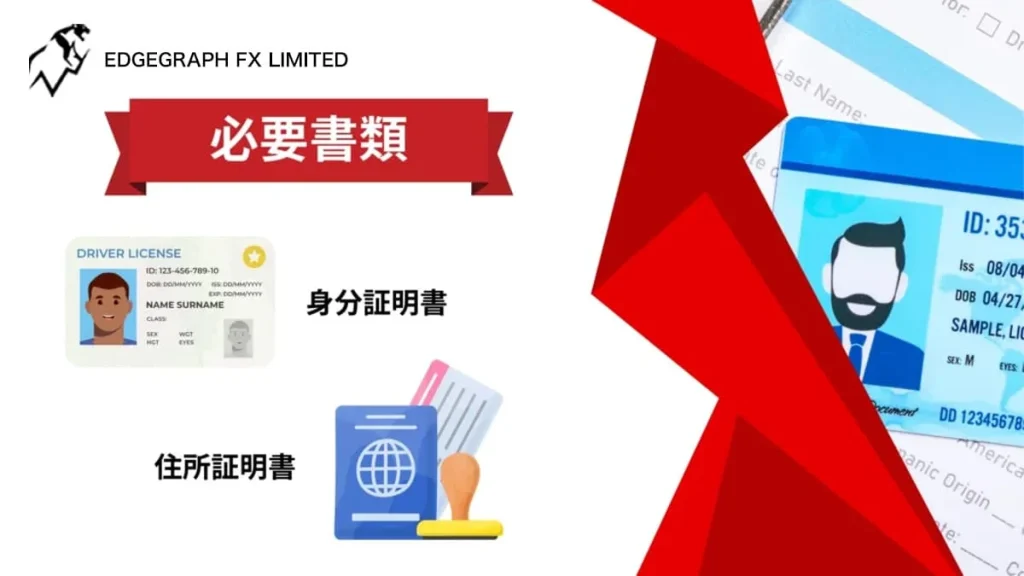
To open an account with EdgeGraph FX, two documents and a selfie photo are required.
Preparing and taking photos of your documents before opening an account will make the process smoother.
Identification Document
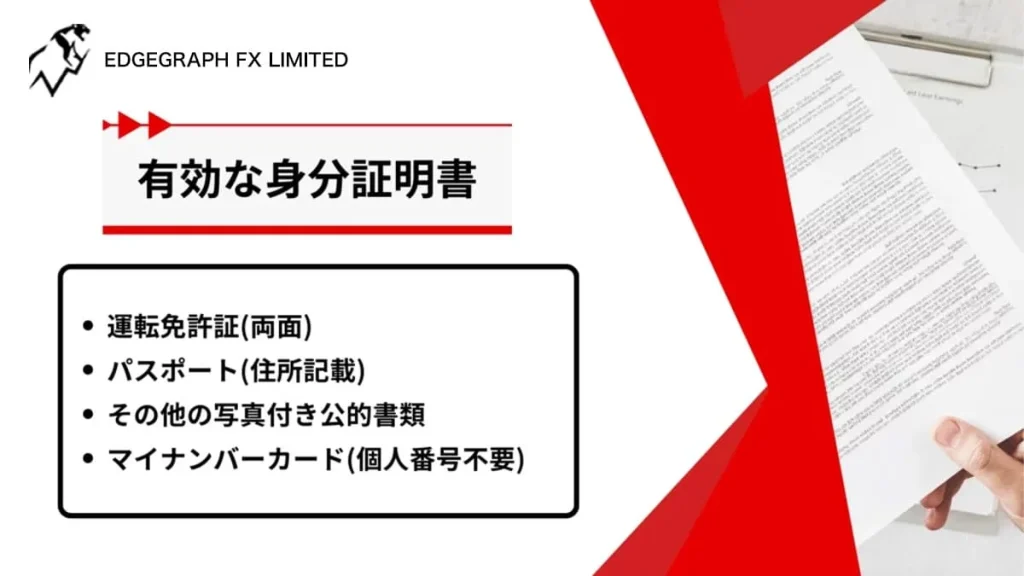
- ✓Driver's License (both sides)
- ✓Passport (with address listed)
- ✓Other photo-bearing official documents
- ✓My Number Card (individual number not required)
You need to submit one of the above documents.
Other photo-bearing official documents include residence cards and disability certificates.
For account opening, please also prepare an identification document and a selfie image taken by the applicant themselves.
Proof of Address
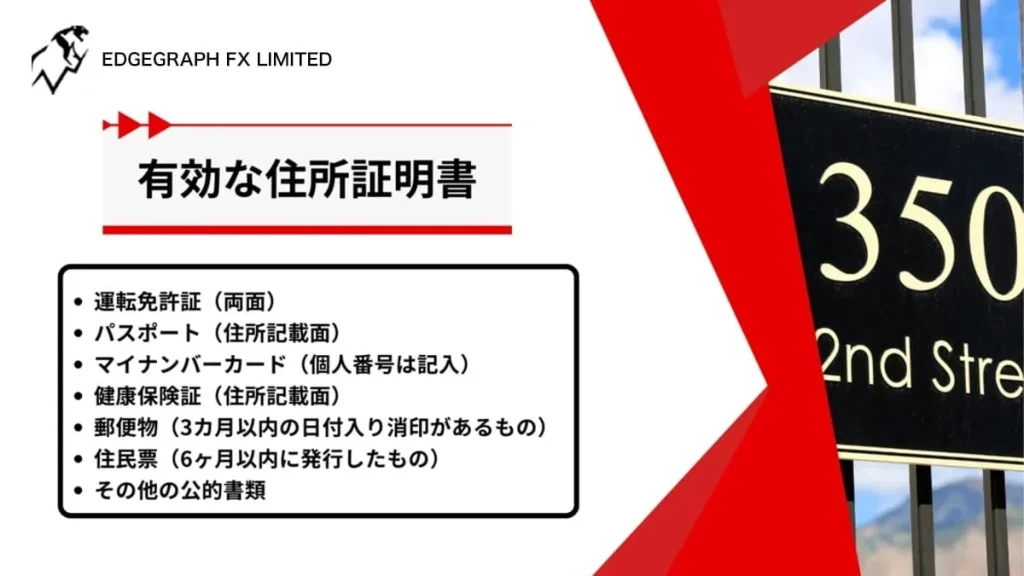
- ✓Driver's License (both sides)
- ✓Passport (page showing address)
- ✓My Number Card (individual number not required)
- ✓Health Insurance Card (page showing address)
- ✓Mail (with a postmark dated within the last 3 months)
- ✓Residence Certificate (within 6 months)
- ✓Other official documents
One document is sufficient here as well.
Mail items include utility bill receipts or credit card statements.
For mail items,only those with a postmark within 3 monthsare accepted. Please note that items past the deadline cannot be used.
Also,please note that residence certificates are similarly restricted to within 6 months.
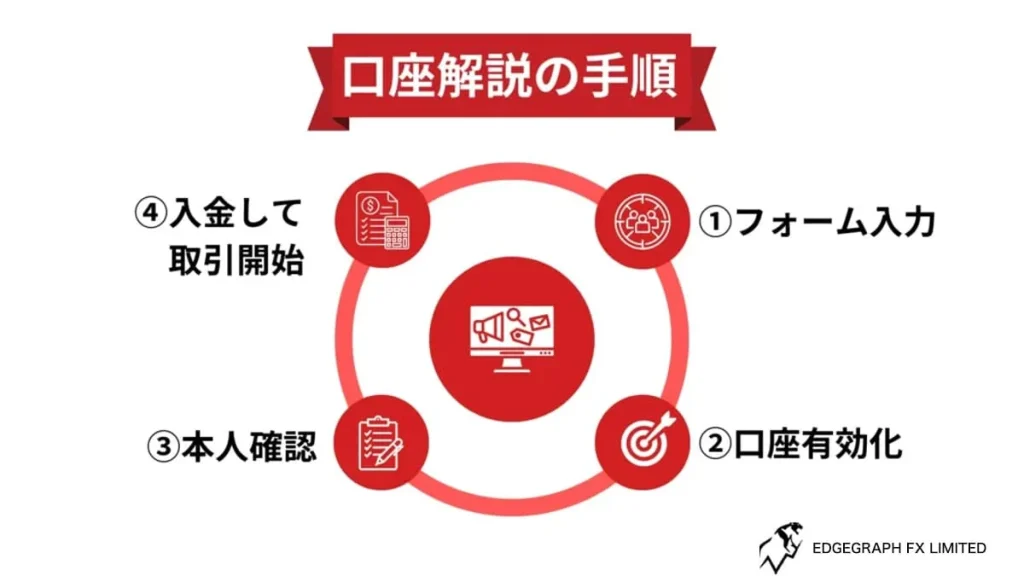
How to Open an EdgeGraph FX Account – Steps
Now let's walk through the actual steps to open an EdgeGraph FX account.
Opening an account with EdgeGraph FX is very simple and can be completed in just a few minutes.
① Click the Account Opening Button
First, press the button below.
You will be redirected to the account opening form.
Experience unrestricted trading with maximum leverage of 1000x and industry-lowest level spreads!
Open an EdgeGraph FX Account Here② Enter the Required Information
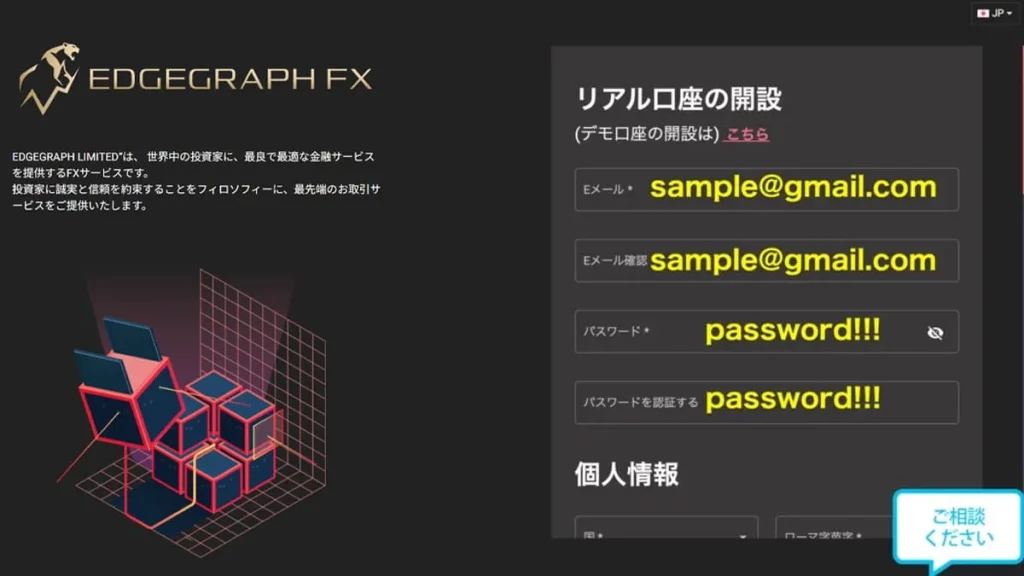
First, enter your email address and password. Make sure to enter an email address you can receive messages at.
There are no specific restrictions on the password, buta complex combination of uppercase letters, lowercase letters, and numbers is recommended. Enter the same password twice to verify it.
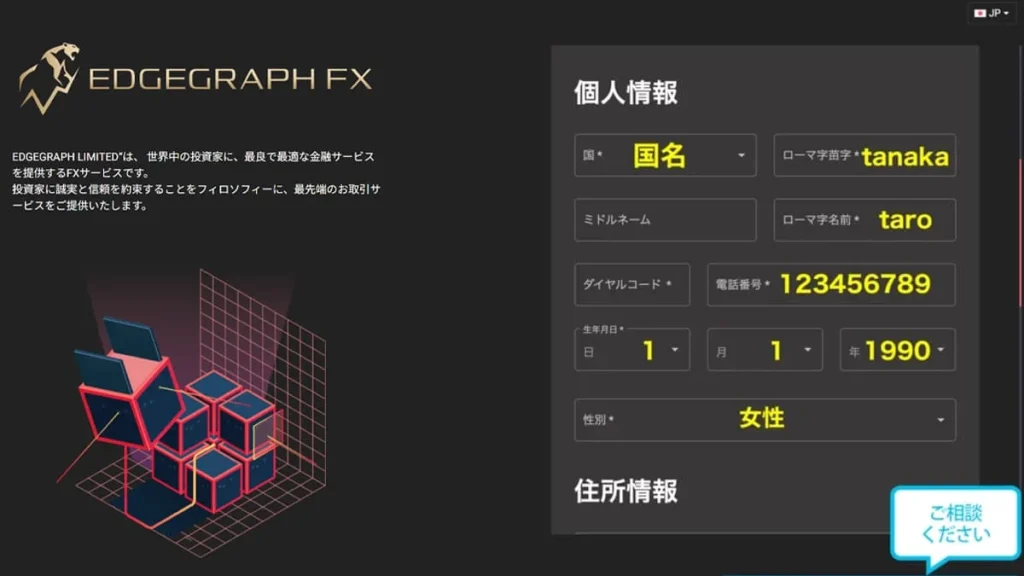
Next, enter your personal information.
Please enter your last name and first name in Roman letters (romaji).
The phone number dial code is automatically assigned when you select your country. When entering your number, omit the leading 0. For example, the format would be something like "80**********".
The date of birth is arranged in the order of day, month, and year.
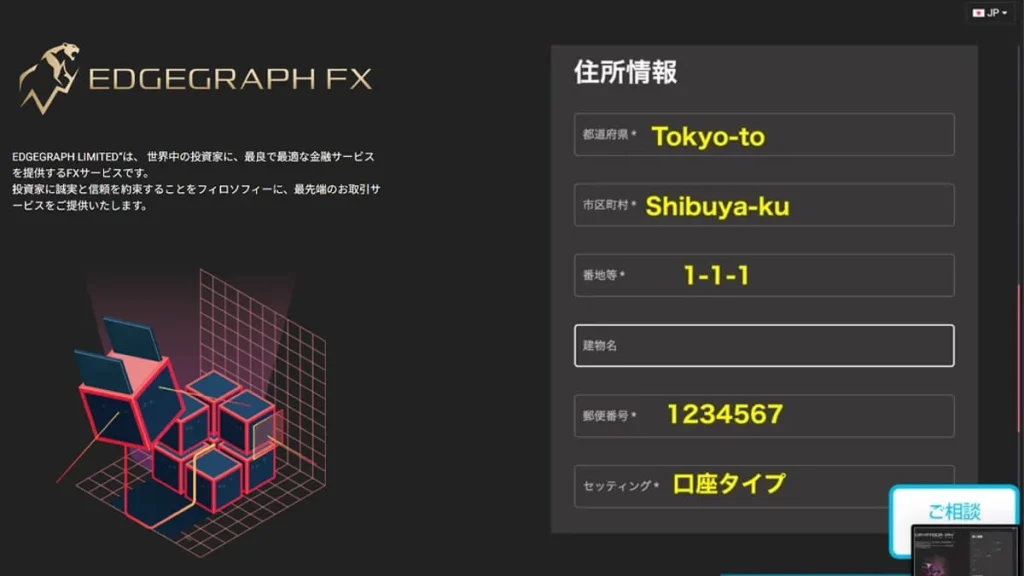
Please also enter your address information in Roman letters (romaji). Begin the first letter in uppercase.
If you live in an apartment or condominium, make sure to include your room number.
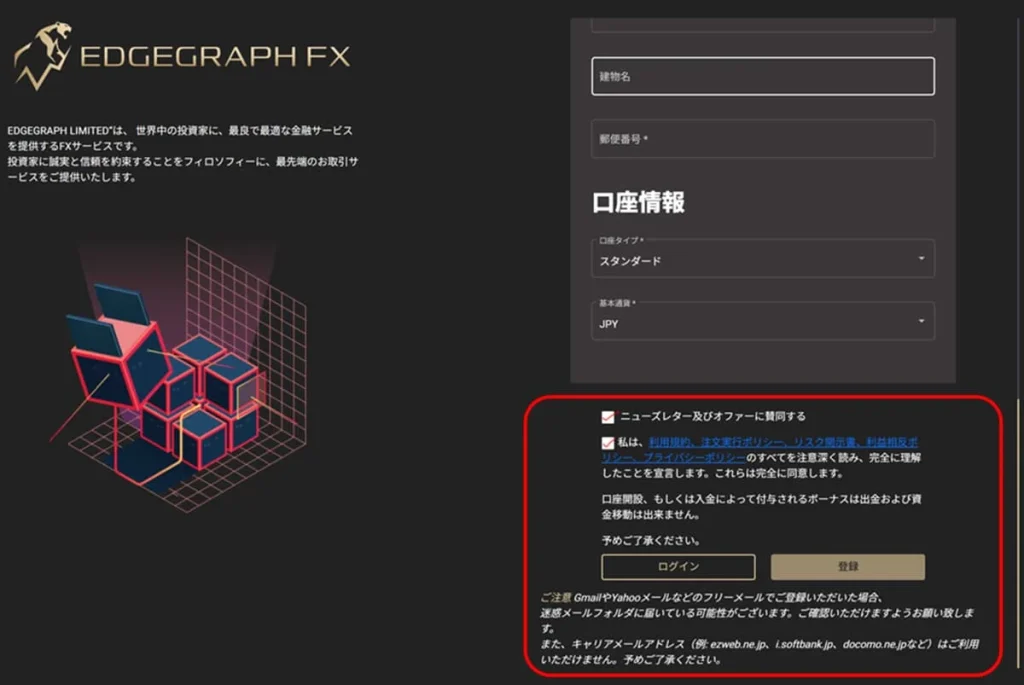
Once you have finished entering everything, check both checkboxes. Once registration is complete, your account opening is finished.
③ Log in to EdgeGraph FX via Email
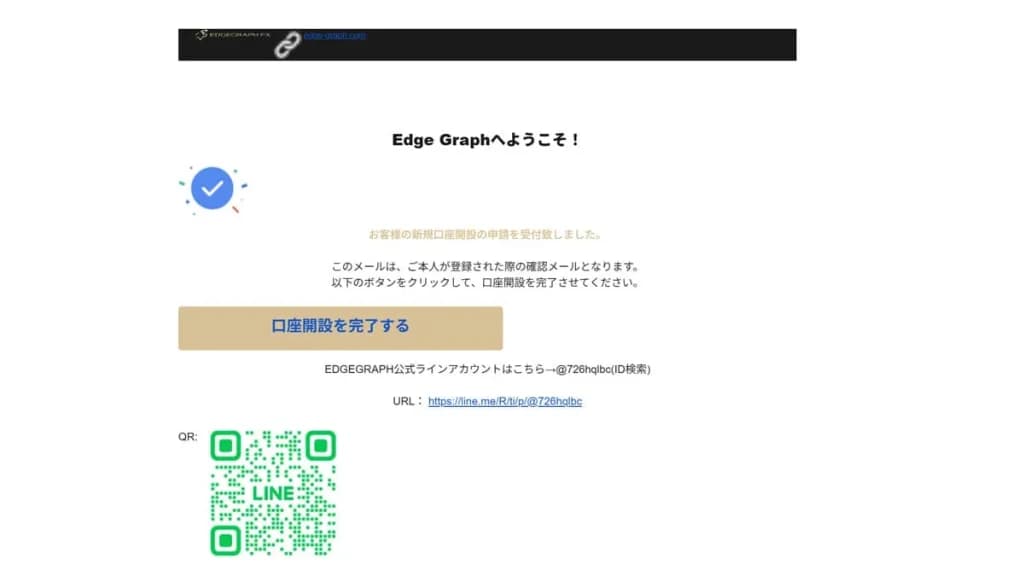
If your account has been successfully opened, you will receive an email from EdgeGraph FX. Open the email and tap "Complete Account Opening".
Enter the email address and password you just registered. If everything is correct, you can log in directly.
④ Submit Identity Verification Documents
Your account has been opened, but you cannot make withdrawals yet, so proceed toupload your identity verification documents.
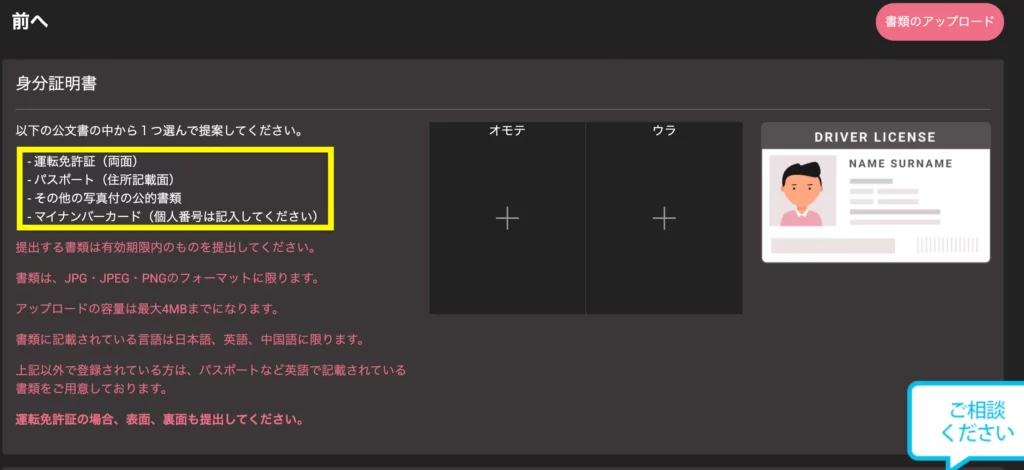
First, submit your identification document. One document is sufficient.
For a driver's license, photos of both the front and back are required. Uploadable file formats are JPG, JPEG, and PNG, with a maximum file size of 4MB.
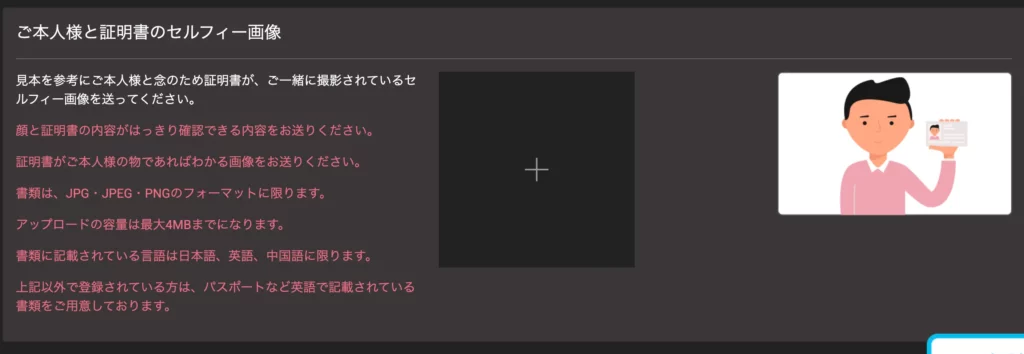
Next, submit a selfie image taken together with the uploaded identification document. Make sure the contents of the identification document are clearly visible in the photo.
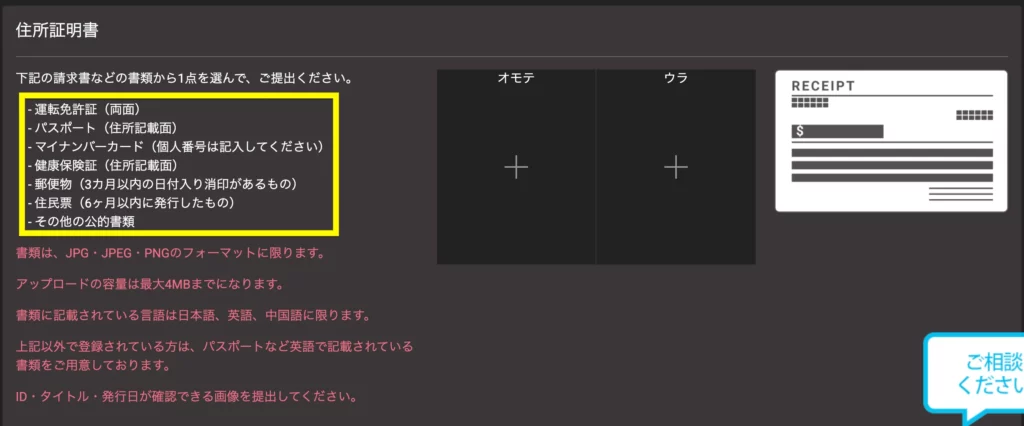
Finally, submit your proof of address.
For the proof of address, please submit an image that clearly shows the address, name, and date of issue.
Once all documents have been submitted, the identity verification documents are submission complete.
⑤ Wait for Notification from EdgeGraph FX
After submitting all documents, the status will become pending.
Documents are reviewed within 1–3 days, and once all are approved, identity verification is complete. Once approved, you will be able to open a live account and submit withdrawal requests.
⑥ Deposit Funds into Your Account
After downloading MT5, deposit funds into your account. A fee will be charged for deposits under 0,000 yen, so we recommend depositing 50,000 yen or more.
From the menu bar on your My Page, clickDeposit.
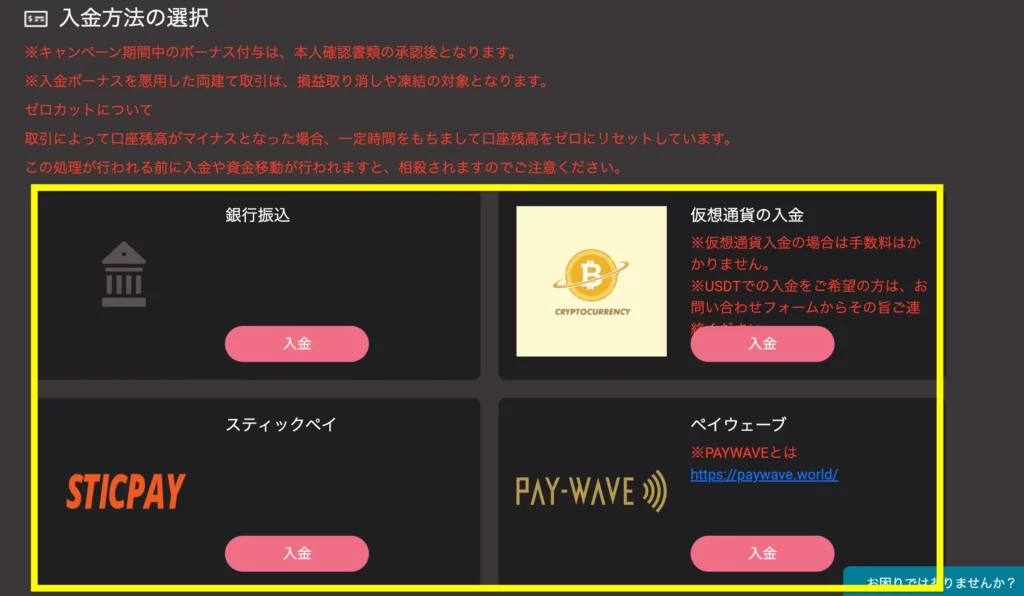
There are 4 deposit methods available in total.
Please select your preferred deposit method.
Experience unrestricted trading with maximum leverage of 1000x and industry-lowest level spreads!
Open an EdgeGraph FX Account HerePrecautions When Opening an EdgeGraph FX Account
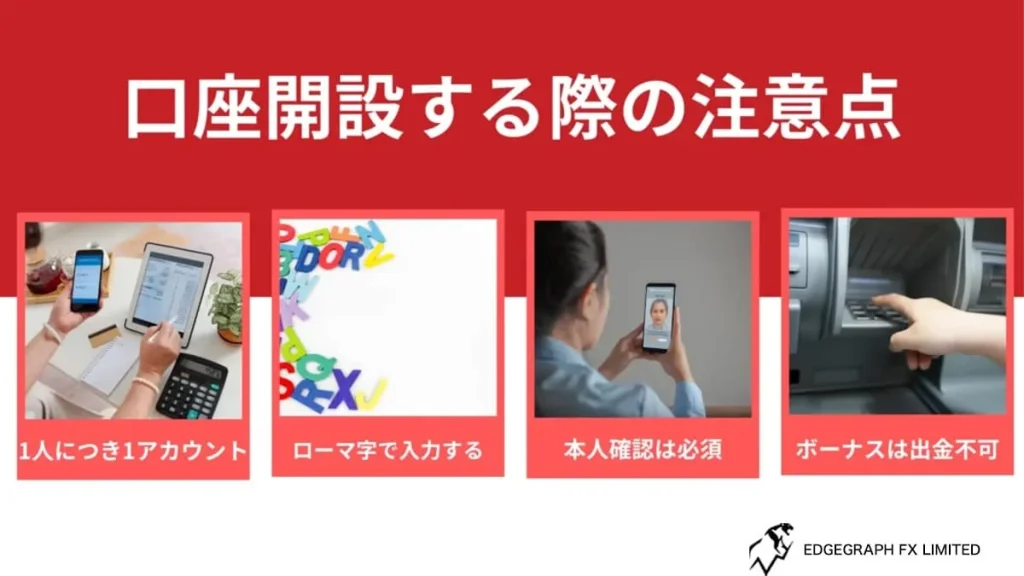
EdgeGraph FX has defined prohibited activities and rules.
Please be aware that violating the rules may result in your inability to trade.
One Account Per Person
Trading is only permitted with one account per person. Using multiple email addresses also constitutes a violation.
However, it is possible to hold up to 5 accounts under one account.
If you want to change the account type, add an account from your My Page.
Enter Address in Roman Letters (Romaji)
Please enter your address in Roman letters (romaji) when providing proof of address.
Your name also needs to be entered in Roman letters (romaji).
You Cannot Trade Without Completing Identity Verification
With EdgeGraph FX, you cannot make withdrawals without completing identity verification.
You can trade and make deposits, but you cannot withdraw your margin.
Bonuses Cannot Be Withdrawn
The deposit bonuses you receive with EdgeGraph FX cannot be withdrawn.
Deposit bonuses are displayed as credits and can be used as trading funds.
However, profits generated using bonuses can be withdrawn. Make good use of the bonuses and aim to generate profits.
Experience unrestricted trading with maximum leverage of 1000x and industry-lowest level spreads!
Open an EdgeGraph FX Account HereFrequently Asked Questions About Opening an EdgeGraph FX Account
Here is a summary of frequently asked questions you should know when opening an account with EdgeGraph FX. Please use this as a reference.
Summary: EdgeGraph FX Account Opening and Identity Verification Procedure
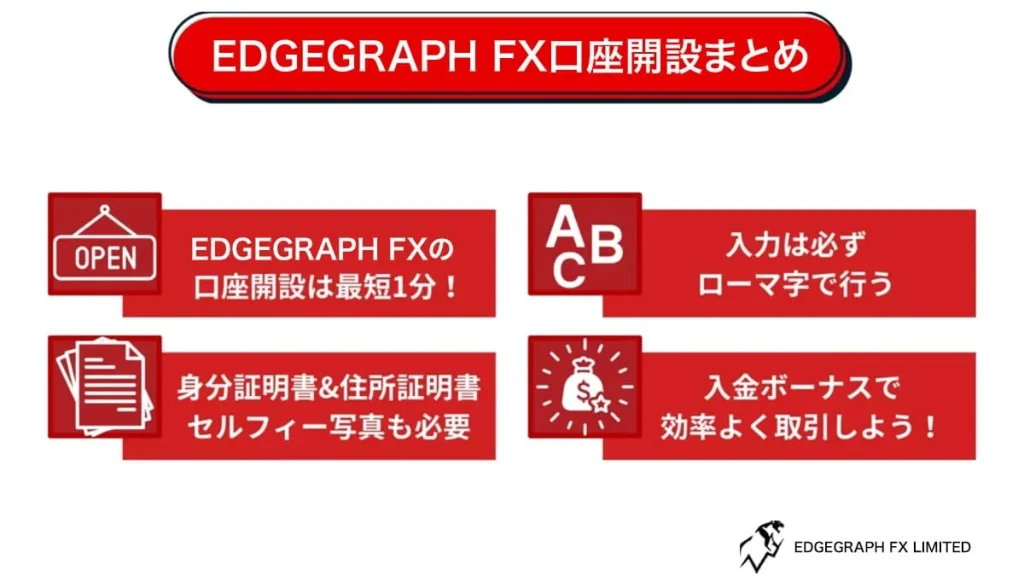
With EdgeGraph FX, accounts registered through a campaign link can receive a deposit bonus for each account. You can receive deposit bonuses for up to 5 accounts under one account, allowing you to trade with low risk.
Support is also available in Japanese, making it an easy-to-use FX service as well.
Why not take this opportunity to try EdgeGraph FX? With maximum leverage of 1000x and high execution power, scalping is also possible. Open an account now and receive a 20% deposit bonus.

![What is an FX Bonus? A Complete Guide to the Difference from Balance [EdgeGraph FX Beginner's Guide]](/_next/image?url=https%3A%2F%2Fhezwttxy7pl7mw4j.public.blob.vercel-storage.com%2F13-2-2.webp&w=3840&q=75)
![How to Start MT5 Trading with an EdgeGraph FX Demo Account [Complete Guide to Getting Started and Key Points]](/_next/image?url=https%3A%2F%2Fhezwttxy7pl7mw4j.public.blob.vercel-storage.com%2F12-2-2.webp&w=3840&q=75)
![What are EdgeGraph FX Spreads? A Complete Introduction to Spreads by Account Type [EdgeGraph FX LIMITED Official]](/_next/image?url=https%3A%2F%2Fhezwttxy7pl7mw4j.public.blob.vercel-storage.com%2F8-2.webp&w=3840&q=75)
![A Thorough Comparison of EdgeGraph FX's 3 Account Types, Their Differences, and Recommended Points [EdgeGraph FX LIMITED Official]](/_next/image?url=https%3A%2F%2Fhezwttxy7pl7mw4j.public.blob.vercel-storage.com%2F7-2.webp&w=3840&q=75)