EdgeGraph FX – How to Download MT5 for PC and Smartphone!
This time, with EdgeGraph FX, we will introduce how to download the FX trading platform MT5.
We will explain with images for both the PC version and the smartphone version.
There is nothing particularly difficult, so by reading this article you will have a thorough understanding of the steps to start trading on the high-performance trading platform MT5.
Summary and key points of this article
- MT5 downloads for EdgeGraph FX are available in 3 types (iOS & Android & PC)
- PC version MT5 system requirements (image resolution of 1024×768 pixels or higher, 50MB free drive space, etc.)
- Please refer here for download instructions
Table of Contents
How to Download EdgeGraph FX
When trading with EdgeGraph FX, you will use a platform called MT5.
Although MT4 is better known than MT5, the popularity of the more advanced MT5 has been growing recently.
MT5 is a trading platform released in 2010 by Russian company MetaQuotes Software as the successor to MT4. Like MT4, it can be downloaded and used for free, but MT5 has been upgraded compared to MT4 in the following ways.
EdgeGraph FX's MT5 can be downloaded and used on PC, Android, and iOS.
Also, while there are not yet many FX brokers that support MT5, those who are already using MT5 can trade on EdgeGraph FX using that MT5.
The flow from downloading MT5 to starting to trade is as follows.
① Download the file to your device
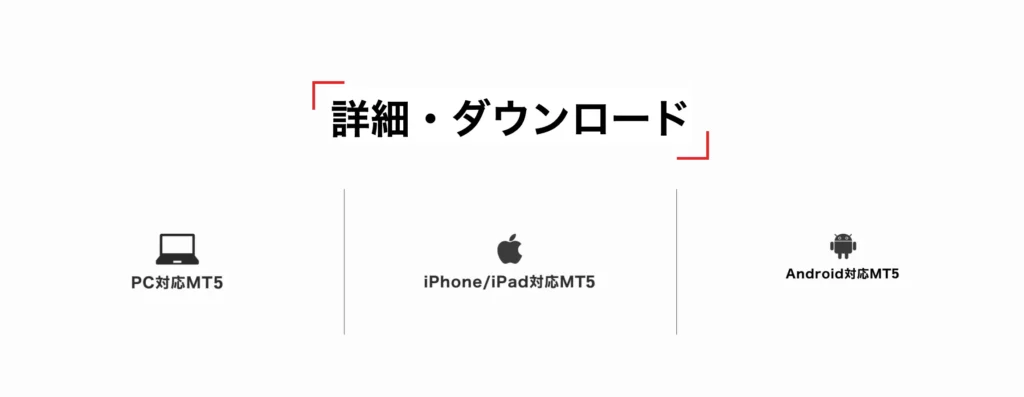
Select the corresponding download destination from here. This time we will select the PC version of MT5.
② Install on your device
"cryptograph5setup.exe" will be downloaded, so open it.
③ Enter your login information
Once setup is complete, launch MT5. When it launches, the agreement screen will appear first, so press "Next." Once MT5 is open, click Login to Trading Account under File. Enter your login ID and password, then press the OK button. Select the EdgeGraph FX Limited live account for the server.
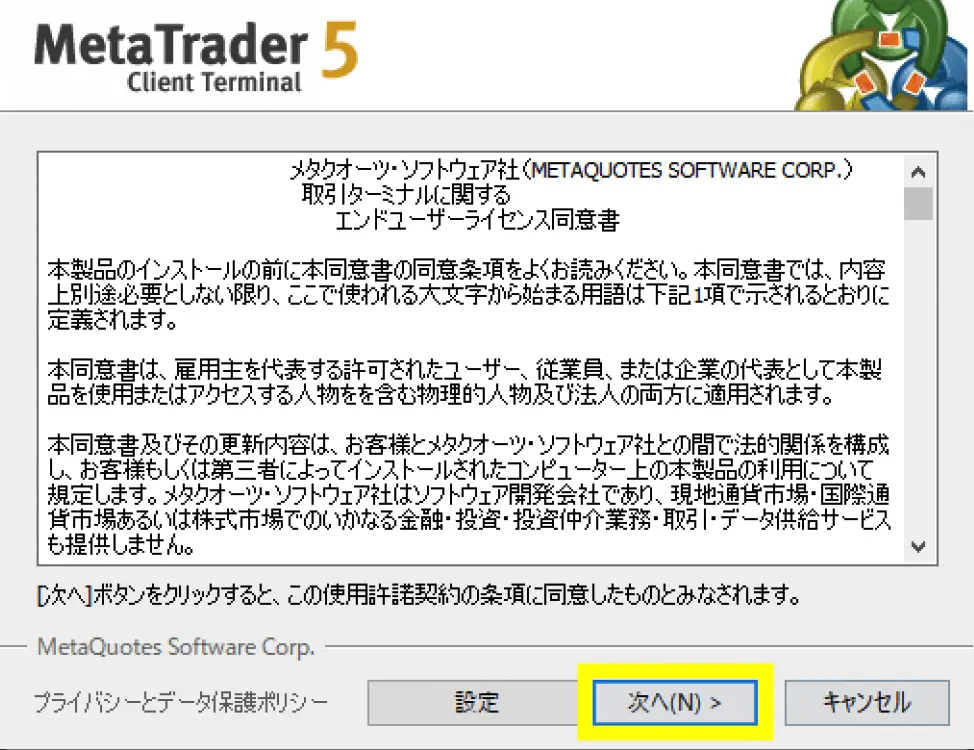
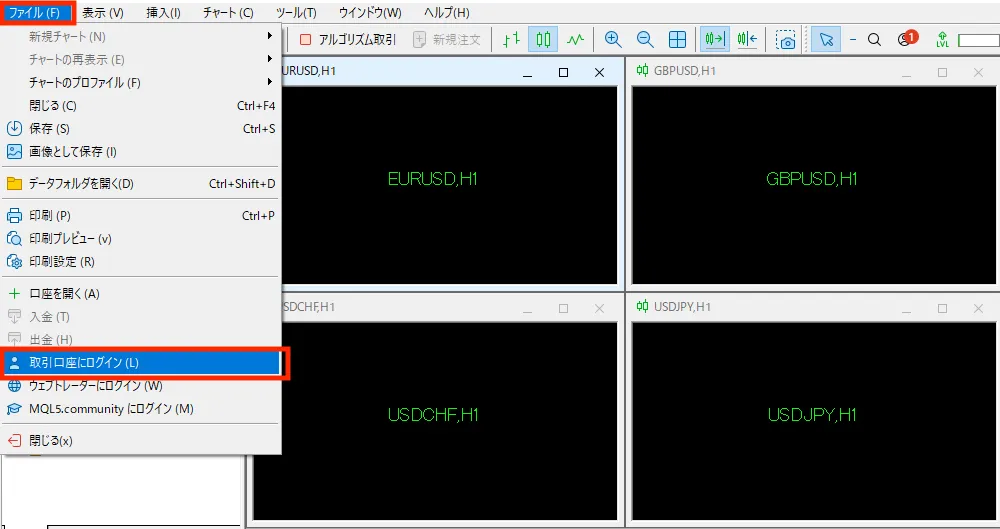
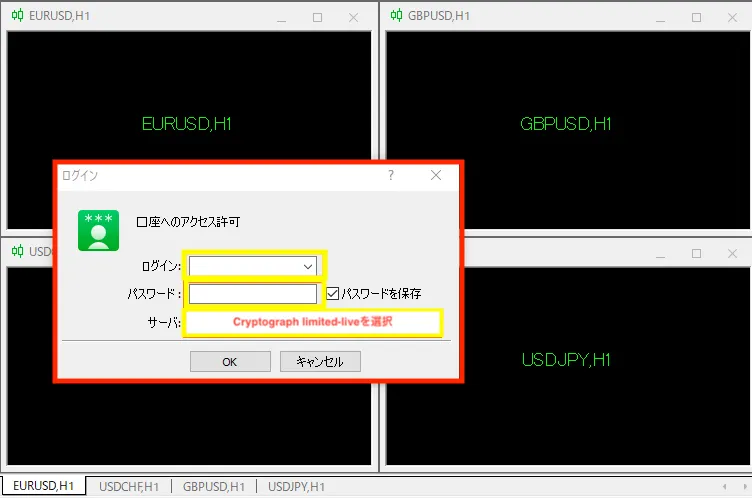
Also, in order to trade using MT5, you will need to have opened an account. Please take this opportunity to open an account with EdgeGraph FX.
MT5 for iPhone/iPad [EdgeGraph FX Limited]
To use MT5 on iPhone or iPad as well, you need to have the MT5 app installed.
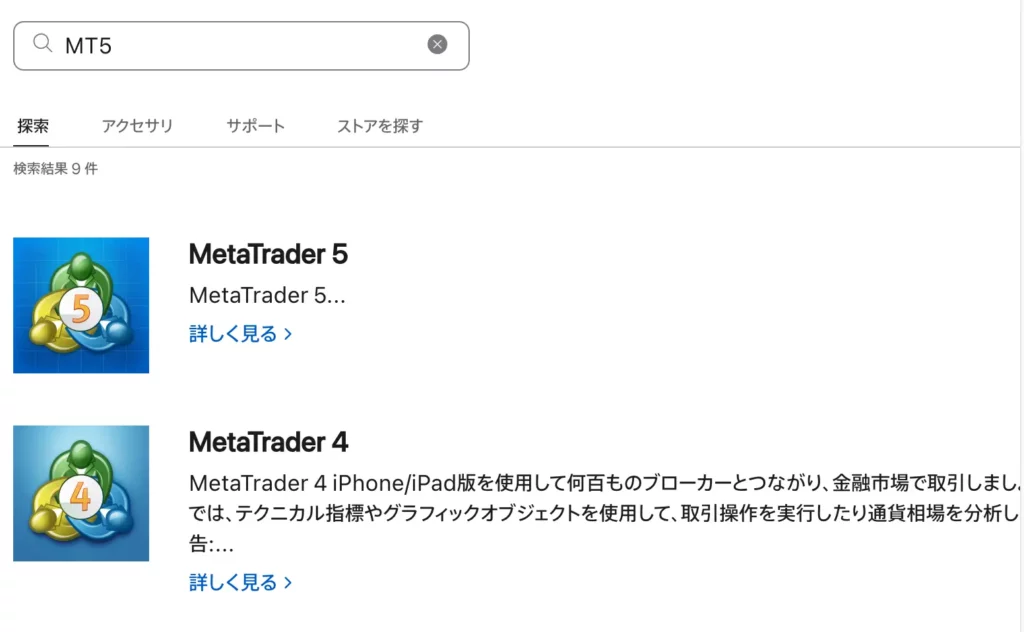
Click the "App Store" button on your iPhone or iPad to start downloading. If you have already installed it, you can start trading from the ☆ step.
"Install" Tap the button and installation will be complete after a short while. Next, tap the "Open" button.
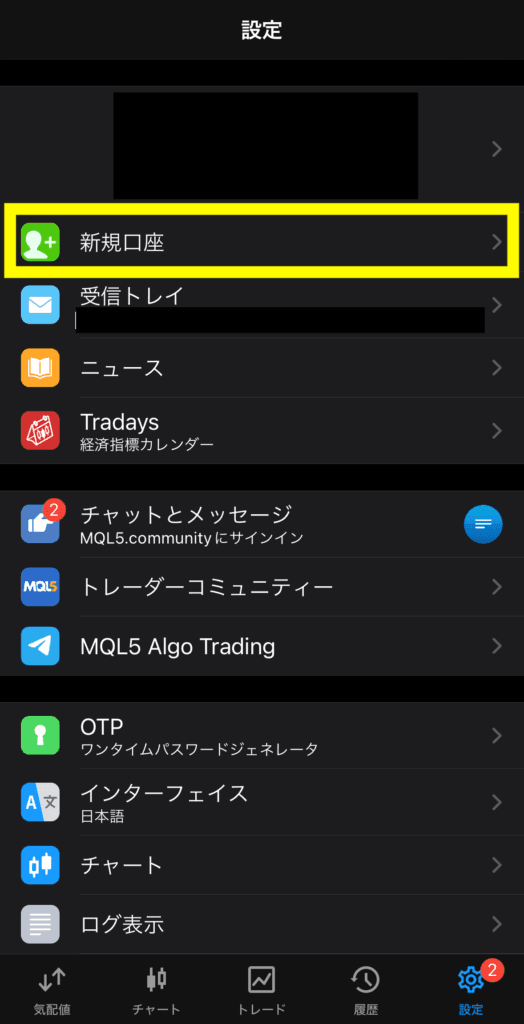
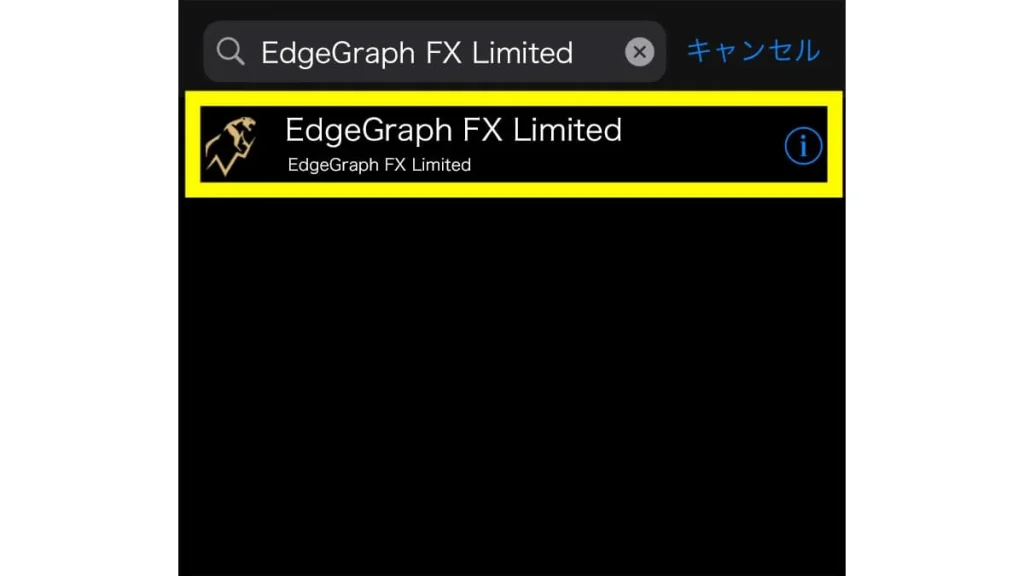
Open the MT5 app, press the "+" button, and press "Log in to an existing account." Search for "EdgeGraph FX Limited" in the search form.
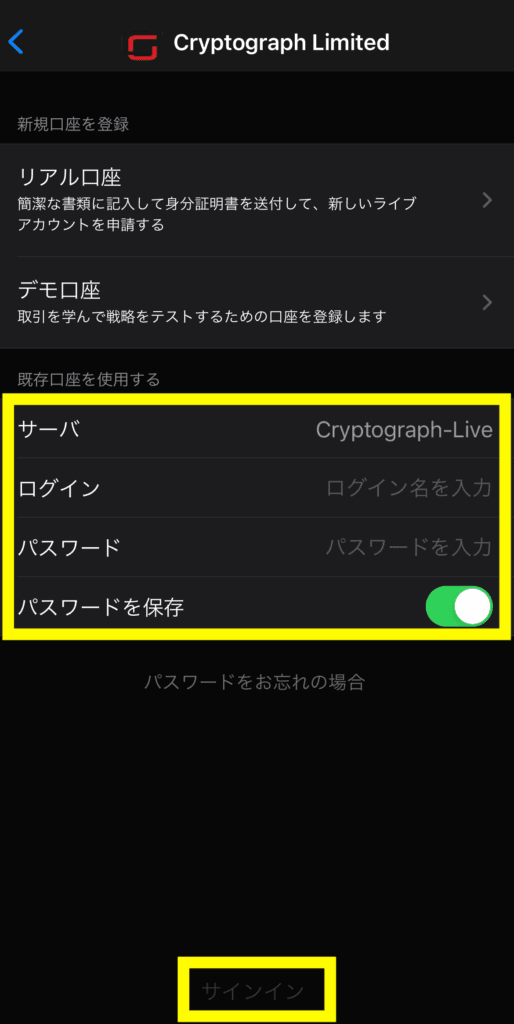
Select a real account or demo account and enter your login information. Once logged in, the connection is complete. Let's start trading.
MT5 for Android [EdgeGraph FX Limited]
Next, let's check how to download the Android version of MT5.
Search for "mt5" using the following button or from the Google Play search form, and the MT5 screen will appear. Once the Google Play screen is displayed, tap the "Install" button.
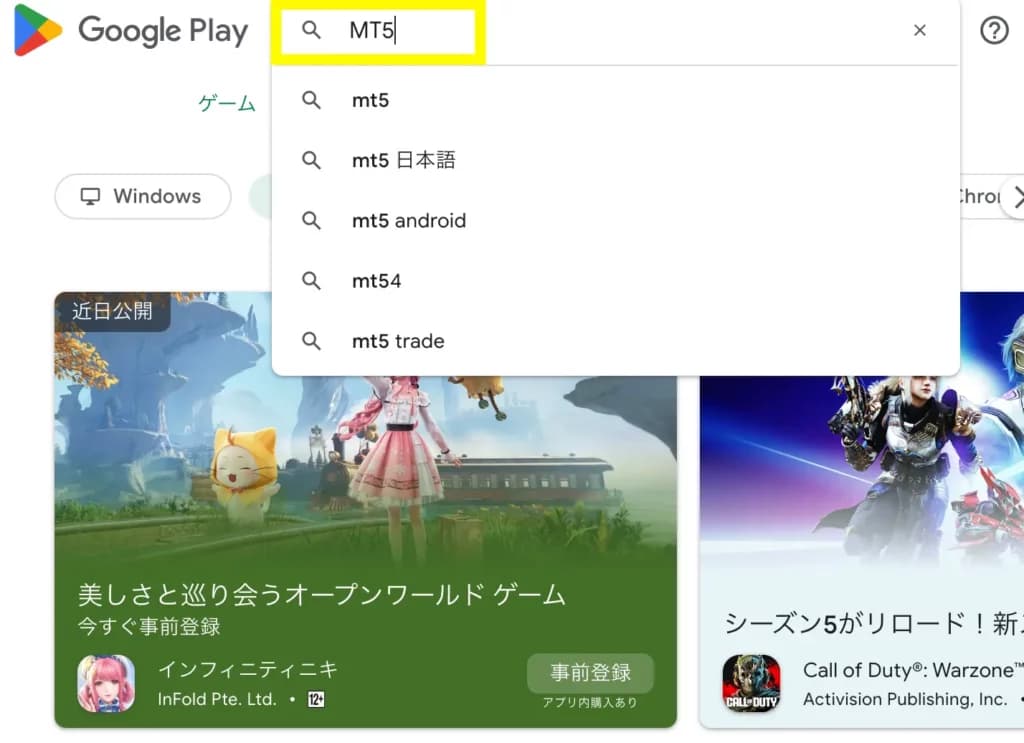
The "Open" button will appear, so tap it. MT5 installation will be complete in a few seconds to tens of seconds. Enter "EdgeGraph FX Limited" or "EdgeGraph FX" in the search box. The EdgeGraph FX login screen will appear, so enter and select the following information.
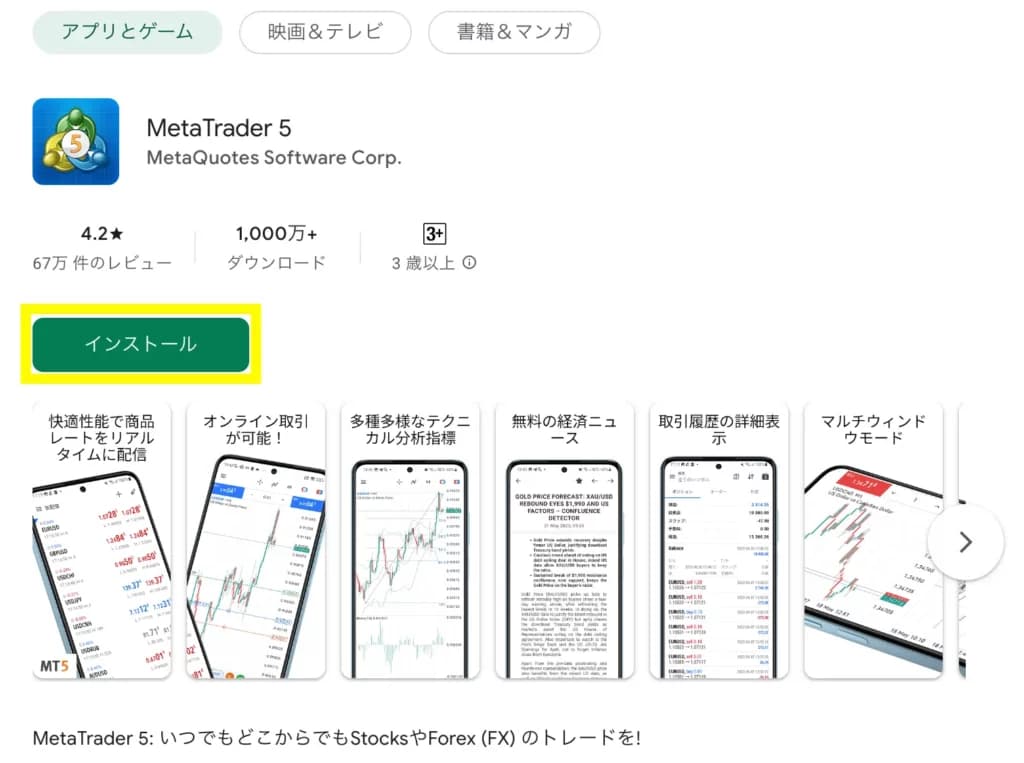
The login method after downloading the app is exactly the same as the iOS version.
About the EdgeGraph FX MT5 System Requirements
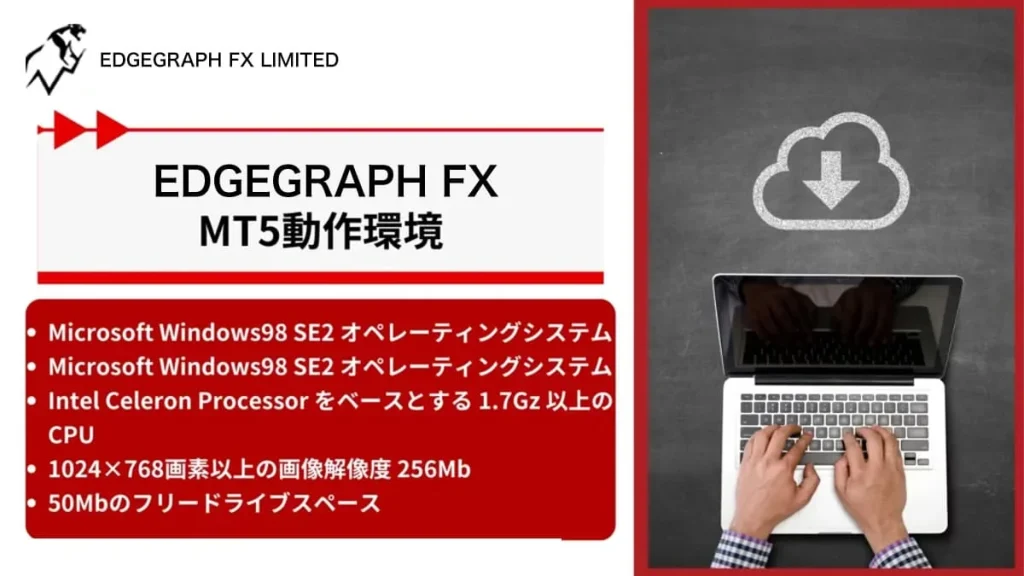
MT5 for PC [EdgeGraph FX Limited]
The PC version of MT5 is a trading platform compatible with Microsoft Windows. The requirements for the PC version of MT5 are as follows.
- A PC with Microsoft Windows 98 SE2 operating system or higher
- CPU of 1.7GHz or higher based on Intel Celeron Processor
- Image resolution of 1024×768 pixels or higher, 256MB or more RAM
- 50MB of free drive space
※The above are the system requirements at the time MT5 is downloaded (initial).
Other required PC performance varies depending on how MT5 is used (whether EAs, indicators, and other tools are used, the number of charts open at all times, etc.).
Also, as a rule, MT5 should only be installed once on a single PC. This is because installing and running multiple instances of MT5 software may result in the inability to log in or cause display issues with charts.
When trading multiple instruments, please use MT5's multi-screen feature to handle this.
MT5 for iPhone/iPad [EdgeGraph FX Limited]
The iPhone/iPad version of MT5 can be used on iPhone, iPad, and iPod touch devices.
However, there is a restriction on the iOS version that can be used, iOS 7.0 released in 2013 or later devices are required.
That said, since iOS was released in 2013, it should be fine unless you have a very old device.
MT5 for Android [EdgeGraph FX Limited]
The Android version of MT5 is compatible withAndroid OS 4.0 and above.
Since Android OS 4.0 was released in 2011, this should also be usable unless you have a very old device.
EdgeGraph FX uses MT5 for trading. MT5 is an extremely high-performance trading platform, and many people seem to be impressed by its fast operating speed.
Downloading MT5 is a simple process of downloading the file and then installing it on your device. The operation is not difficult, so please take this opportunity to download MT5.
EdgeGraph FX with MT5 support for FX trading
When engaging in FX trading, the first thing to consider is which FX broker to use.
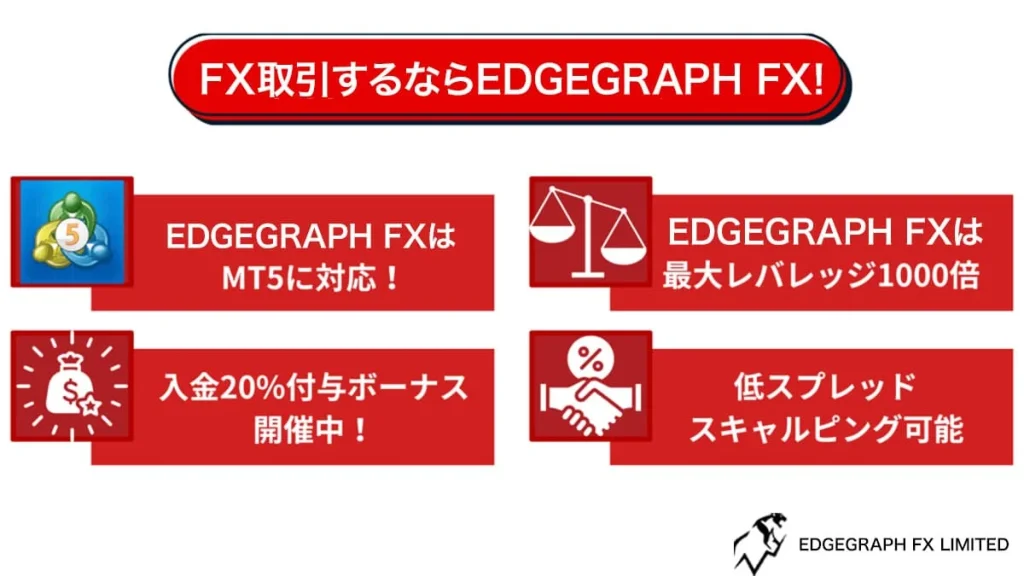
Among the various FX brokers available, EdgeGraph FX is one we would like to recommend. A major attraction of EdgeGraph FX is that you can use the high-performance MT5, but it is also an FX broker with many other great features.
Finally, let us summarize the benefits of using EdgeGraph FX.
- 1Maximum leverage of 1000x
- 2Zero-cut system adopted
- 320% deposit bonus
- 4No restrictions on scalping
- 5High execution rate
Right now, you can trade with low risk through the 20% deposit bonus campaign. Take this opportunity to open an account!
※ The deposit bonus is only applied after registering an account through a specific campaign link. Please be aware of this.
Summary and key points of this article
- MT5 downloads for EdgeGraph FX are available in 3 types (iOS & Android & PC)
- PC version MT5 system requirements (image resolution of 1024×768 pixels or higher, 50MB free drive space, etc.)
- Please refer here for download instructions

![What is an FX Bonus? A Complete Guide to the Difference from Balance [EdgeGraph FX Beginner's Guide]](/_next/image?url=https%3A%2F%2Fhezwttxy7pl7mw4j.public.blob.vercel-storage.com%2F13-2-2.webp&w=3840&q=75)
![How to Start MT5 Trading with an EdgeGraph FX Demo Account [Complete Guide to Getting Started and Key Points]](/_next/image?url=https%3A%2F%2Fhezwttxy7pl7mw4j.public.blob.vercel-storage.com%2F12-2-2.webp&w=3840&q=75)
![What are EdgeGraph FX Spreads? A Complete Introduction to Spreads by Account Type [EdgeGraph FX LIMITED Official]](/_next/image?url=https%3A%2F%2Fhezwttxy7pl7mw4j.public.blob.vercel-storage.com%2F8-2.webp&w=3840&q=75)
![A Thorough Comparison of EdgeGraph FX's 3 Account Types, Their Differences, and Recommended Points [EdgeGraph FX LIMITED Official]](/_next/image?url=https%3A%2F%2Fhezwttxy7pl7mw4j.public.blob.vercel-storage.com%2F7-2.webp&w=3840&q=75)